Tag: ai

  • The Essential Checklist to App Development Planning

    The Essential Checklist to App Development Planning

    Building a mobile or web application isn’t just about coding — it starts long before the first line is written. Many great ideas fail not because of poor execution, but because of poor planning. Whether you’re a startup founder or an enterprise IT leader, proper app development planning can be the difference between a successful launch and a stalled project.

    Planning gives your team direction, clarity, and purpose. It helps avoid common pitfalls like feature creep, budget overruns, or last-minute changes. In this guide, we’ll walk through the essential checklist to app development planning — a step-by-step process to take your idea from concept to launch with confidence.

    By following this checklist, you’ll ensure your app aligns with business goals, delights users, and is built on a solid, scalable foundation.

    1. Define Your Goals

    Before you write a single line of code or sketch your first wireframe, ask yourself a basic question: Why are you building this app? Clearly defining your goals is the foundation of a successful app development process. It gives your team direction, purpose, and a shared vision.

    Are you solving a problem, creating a new opportunity, or improving an internal business process? Maybe you’re trying to reduce manual work through automation or improve customer engagement through digital services. No matter the objective, your goals must be specific, measurable, and tied to real business value.

    For example, instead of saying “we want to improve customer experience,” say “we aim to reduce customer service ticket resolution time by 40% in six months using the app.” That’s a goal you can track, test, and optimize over time.

    • Be purpose-driven: Avoid building features without knowing the problem they solve.
    • Set KPIs early: Define how you’ll measure progress — user adoption, engagement rate, task completion, etc.
    • Document everything: Align all stakeholders around the same outcomes to avoid scope confusion later.

    2. Understand Your Audience

    Your app isn’t for you—it’s for your users. No matter how technically sound or visually stunning your app is, it won’t succeed unless it meets real user needs. Understanding your audience is about stepping into their shoes and learning their pain points, behaviors, and expectations.

    Start by asking: Who will use this app? Are they employees, customers, managers, vendors, or maybe all of them? Each user type has different priorities. For example, a field sales rep might need offline access, while a manager might prioritize dashboard views and reporting features. These insights will directly influence your design, navigation, and features.

    Creating user personas is a powerful way to represent different audience segments. These personas help keep development aligned with user needs, not internal assumptions. The goal is to create an experience that feels effortless and valuable for the user.

    • Conduct interviews and surveys: Speak directly to potential users to hear what they struggle with.
    • Create user personas: Build detailed profiles that reflect goals, tech comfort, frustrations, and motivations.
    • Map user journeys: Visualize how users will interact with your app from onboarding to daily use.

    3. Choose the Right Platform

    Choosing the right development platform is one of the most strategic decisions you’ll make. It determines not only how your app is built, but how it scales, integrates, and evolves. The choice typically comes down to three main paths: traditional coding, low-code platforms, and no-code tools.

    If you have an experienced development team and need full customization, traditional programming languages like Java, Swift, or React Native may be the best fit. But if you want to speed up time-to-market or don’t have in-house coders, low-code and no-code platforms offer faster deployment and easier updates.

    However, don’t choose a platform based solely on speed. Consider long-term factors like scalability, data security, integration capabilities, and ownership of source code. Also, evaluate community support, available documentation, and vendor reputation.

    • Traditional platforms: Ideal for complex, scalable apps needing full control over design and features.
    • Low-code tools: Offer faster build time with some coding; great for internal tools or MVPs.
    • No-code platforms: Perfect for non-technical teams building simple workflows, forms, or dashboards.
    • Think long-term: Will the platform still serve your needs as you grow? Choose with future upgrades in mind.

    4. Gather Requirements

    Once your goals are clear and you know your users, it’s time to define exactly what your app will do. Gathering requirements means listing out everything the app needs to support — from key features to compliance needs, user roles, data flow, and even performance expectations.

    Functional requirements describe what the app should do: submit a form, assign tasks, generate reports, or send notifications. Non-functional requirements focus on how the app behaves: load times, uptime, security, and scalability. Capturing both is critical to avoid misunderstandings or costly rework down the line.

    Start with simple use cases — specific tasks your users must complete. These real-life examples help teams understand expectations more clearly than abstract descriptions. Collaborate with all stakeholders, including IT, business leaders, and end users, to ensure the requirements reflect reality — not assumptions.

    • Define functional needs: What tasks must users perform within the app?
    • Include non-functional specs: Consider performance, data storage, responsiveness, and security.
    • Use simple language: Write requirements so both technical and non-technical team members can understand them.
    • Review and validate: Walk through requirements with stakeholders and users before moving forward.

    5. Create a Project Plan

    With your app’s goals and requirements in place, it’s time to create a solid project plan. This is your blueprint for how the app will come to life — step by step. It outlines tasks, timelines, responsibilities, and dependencies so everyone knows what to do and when to do it.

    A project plan helps teams stay organized and accountable. It breaks the development process into manageable phases such as planning, design, development, testing, and deployment. Without a plan, delays and miscommunication can derail progress quickly.

    Use agile or iterative methods if possible. These allow you to adjust based on feedback instead of sticking rigidly to an outdated plan. Keep things visible with tools like Trello, Asana, or Jira so everyone can track status and deadlines in real time.

    • List deliverables: Break the entire app development process into tasks or features with assigned owners.
    • Create a realistic timeline: Include time for research, testing, fixes, and feedback loops.
    • Set milestones: Define checkpoints to evaluate progress and celebrate small wins.
    • Plan for roadblocks: Identify potential risks like team bandwidth or integration issues, and build in buffers.

    6. Estimate Costs and Resources

    Before any code is written, it’s critical to understand what the app will cost — not just in money, but in time, tools, and people. Many app projects fail or stall because they run out of budget or underestimate how many resources are required to finish the job.

    Start by outlining your app’s scope. A basic app with core features will be cheaper than one with custom integrations, advanced analytics, or offline access. Be honest about what you really need in version one. Then factor in team costs — whether you’re using internal developers, freelancers, or a dedicated agency.

    Don’t forget to include ongoing costs like server hosting, security patches, updates, and support. You’ll also need to budget for design, testing, licenses, and possibly marketing if it’s a public-facing app.

    • Define your MVP: Focus on essential features that deliver value quickly, and postpone the “nice-to-haves.”
    • Compare development models: In-house teams offer more control, while outsourcing or hiring a mobile app development company can be more cost-efficient for fast delivery.
    • Include recurring costs: Plan for maintenance, cloud storage, API fees, and user support post-launch.
    • Use estimation tools: Platforms like Clutch, GoodFirms, or TopDevelopers.co can help you benchmark pricing.

    7. Build the App

    Once planning and requirements are locked in, the real action begins — building the app. This is where your design, logic, and functionality come together into a working product. The build phase can be exciting but also complex, so structure and discipline are key.

    Depending on your platform choice, you’ll either write custom code or use a low-code/no-code environment. Either way, follow a modular approach: build and test in small chunks rather than creating everything at once. This makes bugs easier to catch and changes easier to apply.

    Use an agile development cycle with short sprints and regular feedback loops. Each sprint should deliver a testable component, such as a login screen, dashboard, or notification system. Involve stakeholders throughout the process to avoid misalignment or feature creep.

    • Set up your dev environment: Use version control tools like Git, staging servers, and automated builds for better efficiency.
    • Follow best coding practices: Keep your code clean, reusable, and well-documented to avoid technical debt.
    • Collaborate consistently: Developers, designers, and testers should stay in sync to reduce rework and delays.
    • Track progress visually: Use agile boards or sprint dashboards to monitor what’s completed, pending, or blocked.

    8. Prioritize Security

    Security is not optional — it’s essential. With apps handling sensitive user data, financial transactions, or internal business operations, even a minor vulnerability can lead to major consequences. Prioritizing security from day one helps prevent data breaches, builds trust, and ensures regulatory compliance.

    Security planning starts with understanding what data your app collects and how it’s stored, transmitted, and accessed. Implement encryption for all sensitive data — both in transit and at rest. Use authentication protocols like OAuth2 or biometric login to protect user accounts.

    Access control is equally important. Define roles and permissions to ensure users only see what they’re allowed to. For example, a customer shouldn’t have access to admin tools, and internal users shouldn’t see private user data unless it’s required for their role.

    • Encrypt everything: Use SSL, HTTPS, and AES encryption to protect data from interception.
    • Use secure authentication: Implement strong password policies, two-factor authentication, or single sign-on.
    • Limit access: Set strict user roles and permissions to reduce internal misuse or data leaks.
    • Test regularly: Run security audits and penetration tests before launch — and at regular intervals after.

    9. Test Thoroughly

    Testing is where you catch flaws before your users do. It’s not just about fixing bugs — it’s about making sure the app works under real-world conditions, delivers a smooth experience, and meets business goals. Skipping or rushing this phase can damage user trust and lead to expensive rework.

    Start with functional testing to make sure each feature does what it’s supposed to. Then move into performance testing to evaluate speed, load capacity, and responsiveness across different devices and networks. Don’t forget usability testing — actual users interacting with your app will reveal pain points that developers often miss.

    Test on different platforms, screen sizes, and operating systems to ensure consistent performance. And always test both online and offline modes if your app supports them. Use both manual and automated testing tools to cover more ground efficiently.

    • Functional testing: Verify that each feature performs as intended and follows the business logic.
    • Usability testing: Observe real users to uncover confusion, friction points, or unclear interfaces.
    • Performance testing: Check loading speeds, crash rates, and how the app behaves under heavy usage.
    • Cross-device testing: Ensure the app runs smoothly across iOS, Android, tablets, and various browsers if applicable.

    10. Launch and Monitor Performance

    Launching your app isn’t the finish line — it’s the beginning of real-world usage. A smooth launch requires coordination, communication, and preparation. But what matters most is how you monitor the app’s performance after it goes live and how quickly you respond to issues or feedback.

    Make sure your infrastructure can handle user load, especially during the first few days. Use analytics tools like Firebase, Mixpanel, or AppDynamics to track usage patterns, crash reports, and retention rates. These insights help you understand how users are engaging with the app — and where they’re dropping off.

    Set up feedback channels like in-app surveys, app store reviews, or chat support to capture user sentiment. Take this feedback seriously. Quick updates and fixes based on real usage show users that you’re listening, which builds trust and boosts engagement.

    • Prepare a rollout plan: Use phased launches or beta testing to reduce risk and gather early feedback.
    • Monitor key metrics: Track app performance, user behavior, retention, and crash rates continuously.
    • Capture user feedback: Provide in-app options or email follow-ups to gather user reactions post-launch.
    • Iterate quickly: Roll out updates, patches, and improvements based on what you learn — and do it fast.

    Conclusion

    App development isn’t just about writing code — it’s about solving real problems with well-planned, user-centered solutions. From setting clear goals and choosing the right platform, to thorough testing and launch, every step requires attention, alignment, and smart decision-making.

    Skipping any of these planning stages can lead to miscommunication, delays, or even complete failure. But with a solid checklist and a disciplined approach, you can reduce risks, improve collaboration, and deliver an app that users genuinely value.

    If you’re looking to turn your plan into reality with expert help, choosing the right mobile app development company can make all the difference. The right partner will bring technical skills, experience, and insight to turn your ideas into a successful, user-ready product.

    Whether you’re building your first app or scaling an existing one, thoughtful planning is the one step you can’t afford to skip.

  • Cross-Platform Game Development: Pros, Cons, and Tools

    Cross-Platform Game Development: Pros, Cons, and Tools

    In the dynamic world of gaming, developers are always looking for ways to maximize reach, reduce costs, and improve user experience. One popular strategy to achieve this is cross-platform game development. It allows developers to build a single game that runs on multiple platforms like Android, iOS, Windows, macOS, and consoles such as Xbox or PlayStation. This approach removes the need to write separate codebases for each platform, making development faster and more economical.

    However, while cross-platform development brings several advantages, it also comes with certain trade-offs that can impact performance, user experience, and long-term scalability. In this guide, we’ll explore the key benefits and drawbacks of cross-platform development, outline when it’s the right choice, and review the top tools that can help bring your cross-platform game to life.

    Why Cross-Platform Game Development Matters

    Gaming is no longer tied to a single device. Players now switch between platforms depending on where they are and what’s most convenient. Some prefer gaming on high-end PCs, others on smartphones, and some on dedicated consoles. If your game is available only on one platform, you’re leaving out entire sections of your audience.

    Cross-platform development ensures your game reaches players wherever they are. It aligns with the growing demand for device-agnostic entertainment and opens up more opportunities for monetization and community building. In a competitive industry, reaching more players and offering a consistent experience across platforms can be the difference between success and irrelevance.

    Pros of Cross-Platform Game Development

    Developing a game that works across multiple platforms comes with significant advantages. From expanding your audience to cutting costs, cross-platform development offers benefits that can make a major difference—especially for indie developers and startups. Below are the main reasons why many studios opt for this approach.

    Wider Market Reach

    One of the most important advantages is the ability to reach players on different platforms. Whether it’s a mobile gamer on Android, a console enthusiast, or someone playing on a desktop—your game can reach them all without being locked into one ecosystem. This increases brand visibility, boosts potential revenue, and helps you build a larger, more diverse player community. A wider reach also means more word-of-mouth marketing and social sharing.

    Cost and Time Efficiency

    Instead of building separate versions for iOS, Android, Windows, and consoles, developers can create a single codebase that works across all platforms. This shared development model leads to significant savings in both time and budget. Fewer hours are spent writing and maintaining code, and fewer team members are needed to support the project. Additionally, simultaneous development helps reduce time-to-market, so your game can launch faster.

    Unified Branding and User Experience

    Delivering a consistent look and feel across all devices is key to building a strong game identity. Cross-platform development ensures that UI design, controls, animations, and features remain uniform—no matter what device the user is playing on. This helps maintain your game’s brand integrity and offers players a seamless transition if they switch from one platform to another, such as from mobile to tablet or PC.

    Streamlined Maintenance and Updates

    Managing multiple codebases for different platforms is not only time-consuming but also error-prone. With a single codebase, developers can roll out bug fixes, patches, or new features across all platforms at once. This leads to quicker response times for feedback, more efficient testing, and a smoother post-launch development cycle. Developers can spend more time improving the game rather than fixing fragmented issues across versions.

    Improved Analytics and Monetization Opportunities

    Centralized data from all platforms makes it easier to track player behavior, engagement, and spending patterns. Developers can use these insights to fine-tune monetization strategies, improve gameplay, and personalize user experiences. A cross-platform presence also unlocks a wider range of monetization options—such as ads, in-app purchases, subscriptions, and sponsorships—making it easier to scale your game’s profitability across diverse markets.

    Cons of Cross-Platform Game Development

    While cross-platform development offers many advantages, it’s not without its challenges. Developers must weigh these limitations carefully, especially if their project has high-performance needs or requires device-specific features. Here are the most common drawbacks that come with creating a game for multiple platforms using a shared codebase.

    Performance Trade-offs

    One of the biggest challenges is achieving optimal performance across all devices. Since you’re developing with a general framework, the game may not be fully optimized for any one platform. This can result in lower frame rates, longer load times, or less responsive controls, especially on devices with limited hardware capabilities. High-performance titles like AAA games may suffer unless the engine is carefully optimized per platform.

    Increased Complexity in Testing

    Cross-platform development often requires extensive testing on multiple devices, screen sizes, and operating systems. Bugs may appear on one platform but not another, which means quality assurance (QA) teams must prepare for a wide range of use cases. More time is spent debugging, which can increase overall development timelines and costs. Ensuring consistent gameplay across platforms is a continuous challenge.

    Limited Access to Native Features

    Each platform offers its own set of native APIs and features, such as advanced camera access, platform-specific gestures, or haptic feedback. Cross-platform tools don’t always support these out-of-the-box, or their support may be limited and less stable. As a result, developers might miss out on opportunities to integrate unique platform-specific features that could enhance gameplay or user interaction.

    User Interface Inconsistencies

    Designing a UI that works equally well on touchscreens, keyboards, and controllers is difficult. A design that feels intuitive on a smartphone might feel awkward on a console or PC. Cross-platform development limits the ability to fine-tune UI behavior per platform unless additional customization is built in. This inconsistency may affect player satisfaction and lead to poor reviews on specific devices.

    Dependency on Third-Party Frameworks

    Cross-platform development heavily relies on tools and engines like Unity or Unreal. If these tools are slow to update or face compatibility issues with the latest operating systems, your game may experience delays or even require redevelopment. Additionally, you may be restricted by the limitations or bugs of these frameworks, which can hinder innovation or force technical workarounds.

    Top Tools for Cross-Platform Game Development

    Choosing the right development tool is crucial for building a successful cross-platform game. The tool you select will influence your workflow, performance optimization, platform support, and scalability. Below are some of the most popular and trusted tools used by game developers worldwide for building multi-platform titles.

    Unity

    Unity is one of the most widely used cross-platform game engines available today. It supports over 25 platforms, including mobile, desktop, console, and AR/VR devices. Known for its easy learning curve, vast asset store, and active developer community, Unity is ideal for both 2D and 3D games. The engine uses C# for scripting and offers a visual interface that streamlines design and development. Unity’s flexible export options and cloud services make it a top pick for indie developers and large studios alike.

    Unreal Engine

    Unreal Engine is best known for delivering high-quality graphics and powerful performance capabilities. It supports multiple platforms out of the box and is often used for AAA and high-end 3D games. The Blueprint Visual Scripting system makes it easier for non-programmers to implement gameplay mechanics. Unreal uses C++ as its primary scripting language and provides advanced features like real-time rendering, physics simulation, and cinematic tools. It’s ideal when visual fidelity and realism are top priorities.

    Godot

    Godot is a free, open-source engine with support for 2D and 3D game development. It’s lightweight, highly customizable, and does not require licensing fees. Godot uses its own scripting language called GDScript, which is similar to Python, but also supports C# and C++. It provides a node-based architecture, which makes scene management and UI building intuitive. Godot is perfect for developers who want full control over their code and prefer a no-cost toolchain with community support.

    Flutter with Flame Engine

    Flutter, developed by Google, is typically used for app development, but with the Flame engine, it also supports 2D game creation. This toolset is ideal for casual or minimalist mobile games where performance and heavy graphics are not the main focus. Flame works well with Flutter’s widget system, making UI implementation fast and responsive. It’s best suited for small teams or solo developers creating quick-launch mobile games.

    Cocos2d-x

    Cocos2d-x is an open-source, C++-based game engine geared toward 2D game development. It’s known for its speed and efficiency, especially on mobile platforms. Widely used in Asian markets, it allows developers to write code once and deploy it to multiple platforms including iOS, Android, and Windows. Cocos2d-x has a strong focus on performance, lightweight architecture, and a flexible rendering pipeline. It’s a solid option for mobile-first developers working on fast-paced or arcade-style games.

    When to Choose Cross-Platform Development

    While cross-platform game development offers efficiency and broader reach, it’s not the ideal fit for every project. Choosing this approach should depend on your game’s goals, target audience, performance expectations, and available resources. Below are scenarios where cross-platform development makes the most sense.

    Budget and Time Constraints

    If your team is small or your budget is limited, cross-platform development can be a cost-saving lifeline. Instead of hiring multiple platform-specific developers, you can build and maintain one codebase. This reduces development time and resource allocation while ensuring your game reaches multiple audiences at once. It’s an especially smart option for startups or indie developers working with limited funding and tight launch schedules.

    Targeting a Broad User Base

    Planning to release your game on Android, iOS, PC, and possibly consoles? Cross-platform tools allow you to cast a wider net. You don’t have to develop and launch separately for each system. This approach works well for casual, puzzle, or multiplayer games that benefit from wide accessibility and rapid user acquisition. It also helps maintain feature parity and consistency across all user experiences.

    Games That Aren’t Resource-Intensive

    Cross-platform engines work best when games have moderate graphics and performance needs. 2D or simple 3D games—like platformers, card games, or puzzle apps—are ideal candidates. If your game doesn’t rely on heavy animations, complex physics, or ultra-realistic rendering, you can expect minimal performance sacrifices and smooth experiences across devices. It’s also easier to maintain consistency in controls and responsiveness in lighter games.

    Faster Iteration and Updates

    Games that require frequent updates, A/B testing, or feature rollouts benefit greatly from cross-platform systems. With a unified codebase, updates can be deployed simultaneously on all platforms, reducing downtime and QA delays. This is useful for live-service games, multiplayer experiences, or early-access titles that depend on community feedback and continuous iteration. It keeps your audience engaged and your game relevant.

    Cross-Device Player Engagement

    Want your players to pick up where they left off, whether they’re on mobile, PC, or a tablet? Cross-platform development enables a smoother cross-device experience. With proper cloud integration, saved data, scores, and in-app purchases can sync across platforms. This encourages longer play sessions and keeps players engaged over time, regardless of where or how they choose to play.

    Conclusion

    Cross-platform game development offers a powerful way to reach more players, speed up production, and cut development costs. It’s especially effective for indie studios, mobile-first games, and developers who want fast market entry without compromising on reach. However, it does come with performance and customization challenges that should be weighed carefully depending on your project goals.

    If you’re considering building a cross-platform game and need expert support, working with a professional team can help you navigate the complexities with ease. Explore top mobile game app development companies that specialize in delivering seamless multi-platform gaming experiences tailored to your vision.

  • Using AI in Mobile Games: From NPCs to Procedural Worlds

    Using AI in Mobile Games: From NPCs to Procedural Worlds

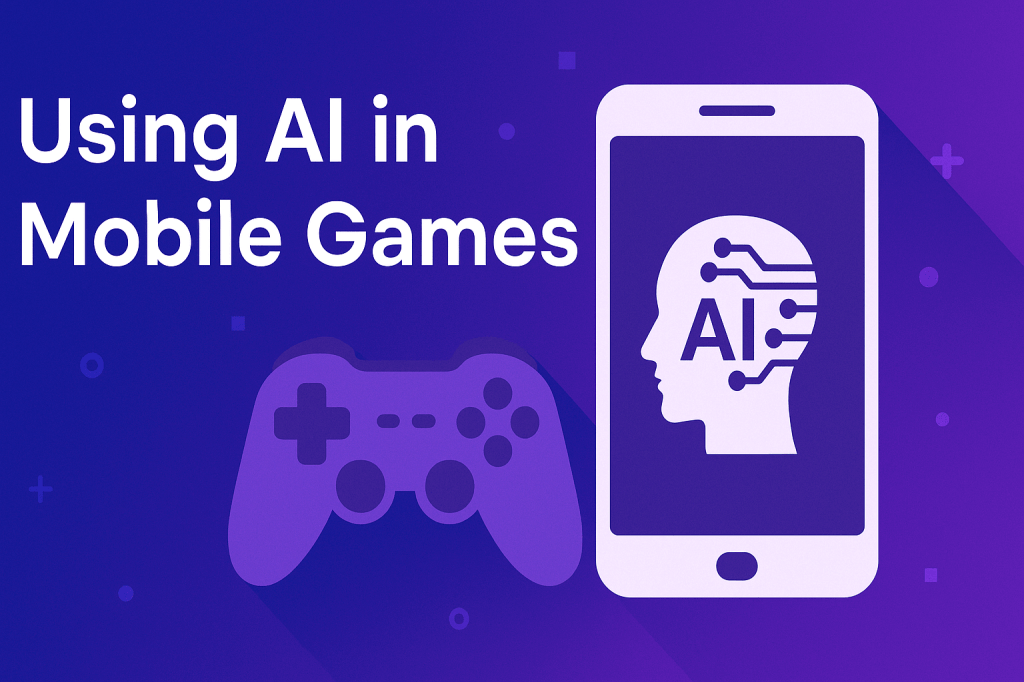
    Artificial Intelligence (AI) has become a game-changer in the mobile gaming industry. From enhancing gameplay mechanics to building entire virtual worlds, AI is reshaping how games are created and experienced on mobile platforms.

    In this article, we’ll explore how AI is being used in mobile games, focusing on intelligent NPCs, procedural generation, and personalization. We’ll also examine the benefits, challenges, and the future of AI in mobile gaming.

    Smarter NPCs: Enhancing Game Interactions

    One of the most noticeable improvements AI brings to mobile gaming is the evolution of NPCs (Non-Playable Characters). These characters no longer follow rigid scripts but are now capable of adapting, learning, and reacting to the player’s choices. This results in more lifelike and immersive gameplay experiences that keep users engaged.

    Adaptive Behavior

    AI-powered NPCs can analyze how a player interacts with the game and adapt accordingly. For example, enemies may become more aggressive if they notice the player using a defensive strategy too often. In stealth-based games, NPCs may alter patrol paths if they detect repeated infiltration patterns. This adaptability makes every play session feel different and challenges players to keep evolving their tactics. Instead of memorizing NPC behavior, players must actively think and respond, increasing engagement and replayability.

    Realistic Interactions

    Modern AI allows NPCs to interact with players in more natural and meaningful ways. These characters can remember past interactions, emotions, and even adjust their tone or behavior based on how the player treats them. For example, if a player consistently helps a particular character, that NPC might offer exclusive side quests or assistance during battles. This adds emotional depth and personalization to the storyline. These dynamic interactions help bridge the gap between player and game world, making experiences more believable and rewarding.

    Procedural Generation: Creating Infinite Worlds

    Procedural generation is a powerful technique where AI algorithms generate game content automatically. Instead of manually designing each level or scene, developers use AI to create endless variations of worlds, maps, and missions. This keeps games fresh and exciting for players while reducing development time and cost.

    Dynamic Environments

    AI-driven procedural generation can create vast, diverse game environments on the fly. In mobile games, this means players can explore new areas every time they play. For example, terrain, buildings, enemy placements, and item locations can all be generated differently in each session. This reduces predictability and increases longevity. Even games with limited storage space can offer expansive experiences because the environments are not preloaded but generated in real time. As a result, players get a richer gameplay experience without overburdening their devices.

    Cost and Time Efficiency

    Creating handcrafted levels for mobile games can be time-consuming and expensive. Procedural generation saves both time and resources by automating this process. Developers no longer need to build every detail manually. Instead, they define rules, and AI does the rest. This also allows small development teams to create large, complex worlds. Additionally, updates become easier, since new content can be introduced through algorithm tweaks rather than full redesigns. The result is faster release cycles and better scalability—especially important for mobile platforms where user attention is fleeting and content needs to stay fresh.

    Personalization: Tailoring Experiences to Players

    One of the most impactful uses of AI in mobile gaming is personalization. AI can monitor and understand how each player behaves, then adjust the game in real-time to match their preferences and skill level. This ensures a better user experience and keeps players more engaged over time.

    Customized Challenges

    Not all players are the same. Some prefer fast-paced action, while others enjoy strategic gameplay. AI helps mobile games adapt their difficulty and content based on each player’s skill and behavior. If a player struggles repeatedly in a specific mission, the game may offer extra hints or make enemies slightly easier. On the other hand, if a player completes levels too easily, the game may introduce tougher opponents or more complex puzzles. This dynamic difficulty adjustment ensures players stay challenged without feeling overwhelmed or bored, leading to higher satisfaction and longer play sessions.

    Content Recommendations

    AI algorithms also analyze what parts of the game players enjoy most. Based on this data, games can recommend new missions, upgrades, or in-game purchases that are more likely to appeal to that specific user. For instance, if a player frequently uses a particular character class, the game might suggest new abilities or gear tailored to that playstyle. This makes the user experience feel more personalized and less generic. It also helps developers improve monetization by suggesting relevant in-game offers without being intrusive. This blend of personalization and smart suggestions enhances both engagement and revenue potential.

    Benefits and Challenges of AI in Mobile Gaming

    While AI brings many advantages to mobile game development, it also introduces certain challenges. Developers must balance creativity with technology, ensuring that AI enhances the experience without compromising performance or ethics.

    Benefits

    AI is a valuable tool that improves both the player experience and the development process. Here are some key benefits:

    • Enhanced Engagement: AI makes games more interactive by creating smarter NPCs, dynamic environments, and adaptive gameplay.
    • Faster Development: Procedural generation and automated testing reduce development time, making it easier to release content more frequently.
    • Personalized Gameplay: AI tailors game experiences based on individual preferences, increasing retention and enjoyment.
    • Replayability: Procedural systems and adaptive AI behaviors make each session unique, encouraging players to return.

    Challenges

    Despite its potential, implementing AI in mobile games isn’t without hurdles. Developers must be aware of the following challenges:

    • Hardware Limitations: Advanced AI processes can be heavy on mobile devices, affecting battery life and performance.
    • Data Privacy: AI relies on analyzing player behavior, which raises concerns about how personal data is collected and used.
    • Complexity: Building and maintaining intelligent systems requires specialized skills, increasing development costs and time.
    • Unpredictable Outcomes: AI behavior isn’t always predictable. NPCs or game logic might behave in unintended ways, impacting game balance.

    Future Trends in AI-Powered Mobile Gaming

    As technology continues to evolve, the role of AI in mobile gaming is set to grow even more influential. Developers are exploring new ways to enhance gameplay through smarter algorithms, real-time cloud processing, and deeper player understanding. These advancements promise more immersive and intelligent gaming experiences.

    Cloud-Based AI Processing

    One of the most exciting trends is the integration of cloud-based AI. Instead of relying solely on the mobile device for processing power, AI tasks can be handled by powerful cloud servers. This allows games to include more advanced AI without slowing down the user’s phone. For example, complex NPC decision-making or real-time procedural generation can be performed in the cloud and streamed back to the device. This setup also enables larger multiplayer experiences and synchronized game states across devices, which is ideal for games with real-time cooperation or competition.

    Advanced Player Modeling

    Future AI systems are moving beyond just tracking user behavior—they’re beginning to understand emotions, habits, and preferences on a deeper level. Using techniques like machine learning and neural networks, games can create player profiles that adapt over time. This means more emotionally responsive storylines, smarter NPC reactions, and hyper-personalized gameplay. For instance, if a game notices a player consistently skips dialogue scenes, it might shorten future story sections. Or if a user tends to play late at night, it might adjust in-game lighting for a better visual experience. This level of personalization will redefine how players interact with mobile games.

    Conclusion

    Artificial Intelligence is redefining the landscape of mobile gaming. From intelligent NPCs that adapt to player behavior, to procedural worlds that generate infinite possibilities, and personalized experiences that keep players engaged — AI is enhancing every layer of gameplay. While challenges like hardware limitations and data privacy need to be addressed, the future looks promising with advancements like cloud-based AI and deep player modeling.

    For businesses aiming to build the next generation of intelligent games, partnering with a trusted mobile game app development company ensures access to the latest technologies and expert support. With the right team and AI strategy, the possibilities in mobile gaming are limitless.

  • Top 5 Game Engines for Mobile Game Development in 2025

    Top 5 Game Engines for Mobile Game Development in 2025

    The mobile gaming industry has become one of the fastest-growing sectors in entertainment. With billions of smartphone users worldwide and increasing demand for immersive gaming experiences, the need for reliable and powerful game engines has never been higher. As 2025 unfolds, developers are on the lookout for tools that balance performance, ease of use, and cross-platform capabilities.

    Mobile game development is no longer limited to small-scale projects. Studios and solo developers alike aim to build high-quality games that rival console-level performance. To do that, choosing the right game engine is critical. It can determine not just how the game looks, but how efficiently it’s built, tested, and delivered to users. The ideal engine should support multiple platforms, have a strong user community, offer advanced rendering features, and allow developers to focus on creativity rather than debugging technical issues.

    Game engines play a key role in the development cycle. From level design and animation to physics and AI, a game engine provides the core framework for bringing ideas to life. The mobile game development space in 2025 is filled with both seasoned platforms and emerging tools that aim to make development faster, more intuitive, and accessible to a broader audience.

    In this blog, we’ve handpicked the top 5 game engines for mobile development in 2025. Each engine has its own strengths, unique features, and ideal use cases. Whether you’re a professional studio looking for advanced rendering or a beginner exploring your first game, there’s an engine here for you.

    Let’s dive into the most reliable game engines that are shaping the future of mobile gaming in 2025.

    1. Unity

    Unity remains one of the most popular choices for mobile game development in 2025. Its flexibility, rich features, and massive community make it suitable for everything from small indie games to complex 3D experiences.

    With Unity, developers can target multiple platforms using a single codebase, which is a huge advantage for mobile projects. It supports both 2D and 3D development and offers integration with popular AR/VR tools. The Asset Store alone provides thousands of ready-to-use assets that save time and speed up development.

    Unity’s real-time rendering capabilities, physics engine, and strong debugging tools make it a solid choice for prototyping and full-scale game production. Its community is vast and active, offering tutorials, plugins, and forums that help developers resolve issues faster. Unity also continues to improve performance with regular updates and support for new hardware, making it future-ready for 2025 and beyond.

    • Best for: Cross-platform development (iOS, Android, PC, Web)
    • Strengths: Intuitive interface, extensive Asset Store, AR/VR support
    • Ideal for: 2D and 3D games, indie developers, prototyping
    • Example Games: Genshin Impact, Pokémon Go

    2. Unreal Engine

    Unreal Engine stands out for high-quality visuals and AAA-level performance. It’s ideal for developers looking to push the limits of mobile graphics and realism in 2025.

    The engine uses powerful rendering technologies like Nanite and Lumen, enabling lifelike lighting and detailed environments even on mobile devices. With full source code access, developers can deeply customize their games. The visual scripting system (Blueprints) allows for quick iteration without diving into complex code.

    Epic Games continues to optimize Unreal for mobile platforms. Features like enhanced performance tuning, scalable graphics options, and mobile-specific templates help streamline development. Although it has a steeper learning curve compared to some other engines, the payoff in quality and capability is significant for seasoned developers.

    • Best for: High-fidelity 3D games on mobile platforms
    • Strengths: Photorealistic rendering, Blueprint visual scripting, full source access
    • Ideal for: Experienced teams building rich 3D worlds
    • Example Games: Fortnite Mobile, PUBG Mobile

    3. Godot

    Godot is gaining traction in 2025 for its open-source flexibility and developer-friendly features. It’s lightweight, efficient, and great for building polished 2D mobile games.

    Its node-based architecture allows intuitive scene management, which simplifies design and maintenance. The scripting language GDScript is easy to learn and closely resembles Python, while support for C# gives more flexibility. Godot also enables exporting to multiple platforms without additional licensing costs.

    For mobile developers who want complete control without paying high royalties, Godot is a compelling option. Its ever-growing community contributes regular updates, plugins, and documentation. With Godot 4, performance has improved, and its 3D capabilities have become more robust, though it still shines brightest in 2D development.

    • Best for: Lightweight 2D games with clean architecture
    • Strengths: Free and open-source, node-based system, supports GDScript and C#
    • Ideal for: Indie developers and studios focused on 2D projects
    • Example Games: Brotato, Usagi Shima

    4. Cocos2d-x

    Cocos2d-x continues to serve developers well in 2025. It’s optimized for high-performance 2D games and gives more control over memory and performance, especially on mobile.

    This engine is known for being lightweight and fast. It uses C++ at its core, which appeals to performance-oriented developers. Cocos2d-x supports scripting in JavaScript and Lua, giving teams flexibility in how they code. The engine also comes with integrated physics, particle systems, and animation tools that help streamline development.

    It’s widely used for mobile games in markets like Asia and is supported by an active community. While it doesn’t have the out-of-the-box polish of Unity or Unreal, it offers great performance and is ideal for developers who want direct control over the code. Cocos Creator, a visual tool, also complements Cocos2d-x by making it easier for designers to get involved in the development process.

    • Best for: Efficient 2D game development
    • Strengths: Open-source, C++ core, Lua scripting, minimal overhead
    • Ideal for: Performance-heavy 2D games on mobile devices
    • Example Games: Clash of Kings, Dragon City

    5. Buildbox

    Buildbox is the go-to engine for creators with little or no coding background. In 2025, it’s still a favorite for quickly building simple mobile games through drag-and-drop tools.

    Its no-code interface makes it accessible to marketers, designers, and hobbyists. The platform includes templates, pre-built logic, and animations that users can customize with minimal effort. Buildbox is focused on mobile and hyper-casual games, where speed to market is often more important than complex mechanics.

    Though it lacks the flexibility of code-based engines, Buildbox is perfect for prototyping, testing game ideas, or launching casual titles with limited resources. Monetization integrations and export options for both iOS and Android make it even more appealing for solo creators or small teams targeting app stores.

    • Best for: No-code or low-code game creation
    • Strengths: Drag-and-drop interface, quick learning curve, fast prototyping
    • Ideal for: Beginners, marketers, and solo creators
    • Example Games: Color Switch, The Line Zen

    Conclusion

    Choosing the right game engine depends on your goals, team expertise, and target audience. Unity and Unreal are great for ambitious, high-quality projects. Godot and Cocos2d-x are excellent for 2D-focused development. Buildbox empowers beginners to create and publish games easily.

    If you’re ready to build your next game, explore top mobile game development companies that can bring your vision to life.

  • How AI is Transforming Website Development in 2025

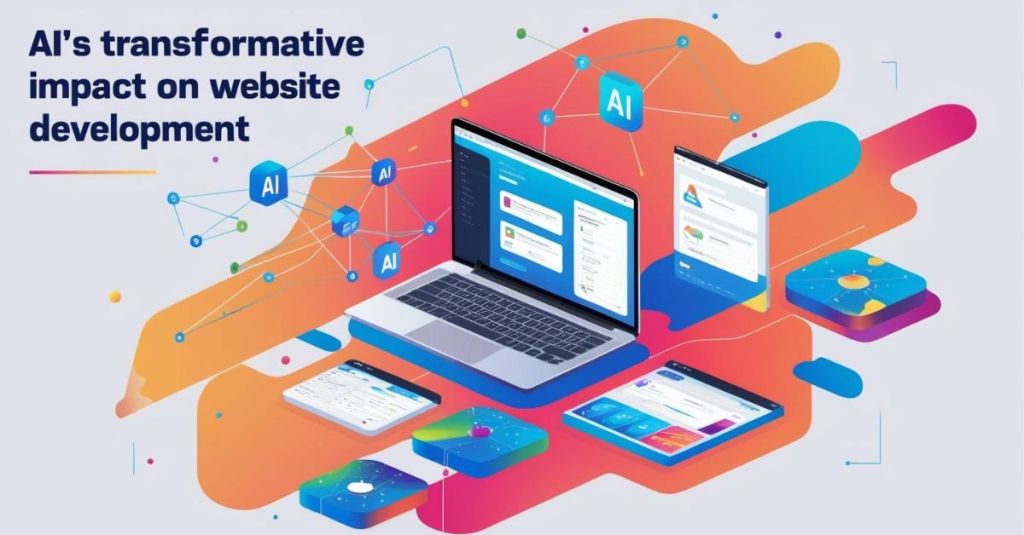
    Artificial Intelligence (AI) is revolutionizing website development in 2025. Businesses are leveraging AI-driven tools to automate coding, enhance user experience, and optimize website performance. From AI-powered design assistants to intelligent chatbots, AI is reshaping how websites are built, maintained, and personalized.

    AI adoption in website development is no longer optional it is essential. A Statista report highlights that over 60% of developers use AI for code generation, bug detection, and software testing. This shift is accelerating development processes, reducing manual effort, and improving efficiency.

    In 2025, websites must be fast, responsive, and user-centric. AI ensures seamless automation, smart content recommendations, and personalized experiences. Businesses that integrate AI gain a competitive edge by delivering high-performing websites with minimal human intervention.

    As AI continues evolving, its role in website development will only expand. From reducing development time to enhancing cybersecurity, AI is paving the way for a smarter digital future. Embracing AI-driven development is the key to staying ahead in an increasingly tech-driven world.

    AI-Powered Automation in Development

    AI-driven automation is transforming website development by streamlining coding and debugging. Tools like GitHub Copilot and TabNine assist developers by suggesting code snippets, auto-completing functions, and reducing manual coding time. These AI-powered assistants learn from vast codebases and generate efficient, error-free code.

    AI also enhances debugging and bug detection. Automated tools scan code for vulnerabilities and inefficiencies, ensuring a smoother development process. AI-driven debugging tools can detect and fix issues before they impact website functionality. This automation reduces human intervention, speeds up the development cycle, and enhances code reliability.

    By integrating AI-powered automation, developers can focus on innovation rather than repetitive coding tasks. AI-driven solutions make website development more efficient, cost-effective, and scalable.

    AI-Driven Website Design

    AI is reshaping web design by optimizing user interfaces and user experiences. AI-powered tools like Wix ADI and Colormind analyze user preferences to create visually appealing designs. These tools suggest smart UI/UX improvements, helping businesses build engaging websites with minimal effort.

    AI-driven design platforms automate layout structuring and color palette selection. They analyze design trends, user behavior, and accessibility standards to generate aesthetic and functional designs. This ensures websites are visually consistent, user-friendly, and conversion-optimized.

    With AI in web design, businesses can create personalized digital experiences. AI-powered solutions enhance creativity, simplify workflows, and ensure designs align with user expectations.

    Enhanced Website Performance with AI

    Website performance is crucial for user experience and SEO rankings. AI tools optimize website speed by automating caching, content delivery, and image compression. AI-driven platforms analyze real-time user behavior to adjust loading priorities, ensuring faster page load times.

    AI-based content delivery networks (CDNs) dynamically route website data through the most efficient servers. This reduces latency and improves website accessibility worldwide. Additionally, AI optimizes code structure, detects performance bottlenecks, and enhances backend processes.

    By leveraging AI for performance optimization, businesses can deliver fast, responsive websites. Improved speed leads to better user engagement, lower bounce rates, and higher conversion rates.

    AI in Testing and Quality Assurance

    AI-powered testing is revolutionizing website quality assurance. Platforms like Testim and Applitools automate testing by identifying bugs, predicting potential failures, and ensuring code consistency. These tools use machine learning to detect UI inconsistencies, broken elements, and performance issues.

    AI also enables predictive error detection. By analyzing historical data, AI-driven QA tools forecast potential issues before they occur. This proactive approach minimizes downtime and enhances website stability.

    Automated testing reduces manual effort, accelerates release cycles, and ensures flawless user experiences. AI-driven QA solutions help businesses maintain high-performance websites with minimal human intervention.

    Personalized User Experience

    AI is transforming website interactions through personalization. AI chatbots and virtual assistants provide instant customer support, answering queries in real-time. These AI-driven systems analyze user intent, improving engagement and satisfaction.

    Dynamic content recommendation engines personalize user experiences based on browsing behavior. AI-powered platforms suggest products, articles, or services that match user preferences. This enhances user retention, increases conversions, and drives revenue growth.

    By leveraging AI for personalization, businesses can create tailored experiences that keep users engaged. AI-driven user experience solutions make websites more interactive, customer-centric, and conversion-focused.

    Future Trends in AI and Website Development

    AI’s role in website development will continue to expand. One key trend is AI-driven security. AI algorithms detect cyber threats, prevent unauthorized access, and mitigate security risks in real-time. This enhances website protection against malware and data breaches.

    Another emerging trend is AI’s role in predictive analytics and SEO. AI tools analyze search engine algorithms, optimize content strategies, and forecast ranking trends. AI-driven SEO ensures websites remain competitive in search results.

    As AI technology advances, website development will become more automated, secure, and intelligent. Businesses that embrace AI-driven innovations will gain a strong competitive edge in the digital landscape.

    Conclusion

    AI is redefining website development by automating processes, enhancing user experience, and improving performance. From AI-powered automation in coding to smart design recommendations, AI enables businesses to build high-quality websites faster and more efficiently. It also enhances website security, predictive analytics, and SEO, ensuring long-term success in a competitive digital landscape.

    Adopting AI is no longer a luxury it is a necessity. AI-driven solutions allow businesses to stay ahead by optimizing workflows, reducing costs, and delivering personalized user experiences. Companies that integrate AI in their development processes can improve website speed, security, and engagement, leading to higher conversion rates and customer retention.

    To stay competitive, businesses must embrace AI-powered development tools and strategies. Partnering with web development companies that specialize in AI-driven solutions can help streamline implementation and maximize AI’s benefits.

    As AI continues to evolve, its impact on website development will only grow stronger. Businesses that invest in AI today will future-proof their digital presence, improve efficiency, and create seamless online experiences. Now is the time to leverage AI and transform the way websites are built and optimized.

Design a site like this with WordPress.com
Get started